
Environmentalists
Online Encyclopedia and Databases
Gale
Gale: Opposing Viewpoints
*Do not use the Viewpoints section for this presentation. Your best bets here are: Reference and Biography sections. *To get the Permalink: Click on the image of the chain that reads "Get Link."
Teacher note included.

Encyclopedia Britannica
Britannica High School
*To get the Permalink: Click on the citation box (the square with the check mark) and copy the address to save in your drive (on a document devoted to links to resources used).
Teacher note included.
Websites
*Use only websites/organizations you come across in your reading from our databases and eBooks and/or have checked in on with Mrs. Young or Mrs. Freeman. *If you use a reputable website from the internet, you need to copy the URL from each page from which you are using information.
Alaska Conservation Foundation
Celia Hunter
Teacher note included.

Audubon Society
Rosalie Edge "Getting Over Rosalie"
Teacher note included.
Tennesee Encyclopedia
Not crowd sourced. Developed and maintained by the Tennessee Historic Society. *Harvey Broome
Teacher note included.
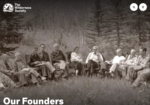
Wilderness Society - Our Founders
*Robert (Bob) Marshall *Robert Sterling Yard *Harvey Broome *Benton MacKaye *Aldo Leopold *Magnifier to search for others such as Zahniser, Mardy Murie, etc.
Teacher note included.

PBS American Experience
Theodore Roosevelt and the Environment
Teacher note included.
National Wildlife Federation
Image Use
*You can feel free to use images embedded in Database Resources as long as you list the Peramalink from that source. and *You may use images from internet resources (reputable online organizations directly related to your selected environmentalist) as long as you create a direct link to that image in your resources slide.


Running Resource List - Model
Canva Help
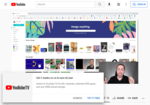
Thomas Garetz - How to make a Presentation in Canva (Free and Easy)
For Everyone: This is a 9 minute tutorial. This guy uses words such as "like" and "super" a lot, but he has 165K followers for a reason. He gives the most important information you need in a quick and efficient manner. *Note, you can ignore the part where he converts it to PowerPoint, but pay attention to the importance of selecting "free" items, and downloading as a pdf.
Teacher note included.

Presentations to Impress from the Experts
For the Overachievers: This is a short series of four 3-4 minute videos created by Canva to help us create excellent presentations. You can watch all 4 of them or pick and choose. Either way, you'll pick up on some good techniques.
Teacher note included.